Forgetting a password happens to almost everyone. A quick reset usually solves the problem, but organizations still need to make sure the request really came from the account owner before allowing any changes. That extra verification step helps protect personal information, financial records, business files, and private conversations from unauthorized access.
A well-written password reset verification letter does two things at once. First, it reassures the recipient that security is being taken seriously. Second, it provides clear instructions so the user can verify the request quickly without feeling confused or overwhelmed. Even a simple email should answer the obvious questions before the recipient has to ask them.
The ten samples below cover different situations, from customer accounts and employee logins to banking portals and student systems. Each one is complete and ready to use with only minor edits if needed.
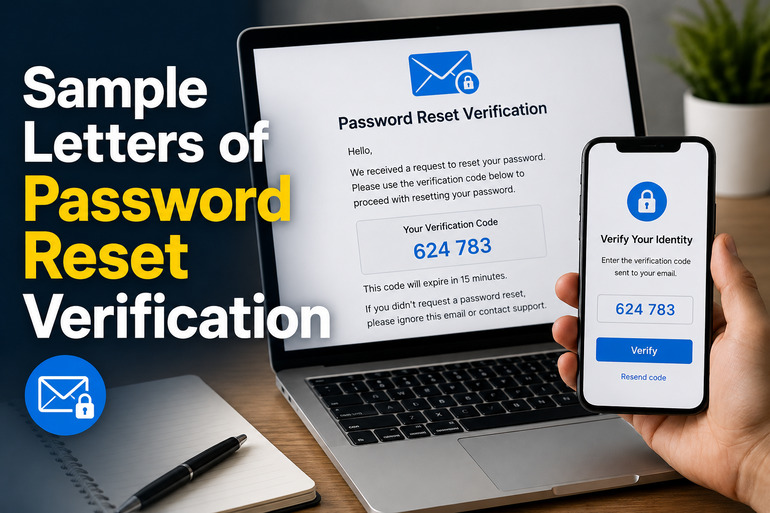
Sample Letters of Password Reset Verification
Whether you’re writing on behalf of a company, school, healthcare provider, financial institution, or online service, these samples can serve as practical starting points. Choose the one that best matches your situation, then update the names, links, and organization details before sending.
1. Standard Password Reset Verification Email
Subject: Password Reset Verification
Dear Michael Johnson,
A request to reset the password for your account was received on July 13, 2026, at 2:15 PM.
Before any changes can be made, we need to verify that this request was submitted by you. This additional verification step helps prevent unauthorized individuals from gaining access to your account.
To complete the password reset, please click the secure verification link below within 30 minutes:
https://example.com/reset-password/verify
After your identity has been verified, you will be guided through the process of creating a new password. For the best security, choose a password that is unique to this account and avoid reusing passwords from other websites or services.
If you did not request a password reset, please ignore this email. Your existing password will remain active unless the verification process is completed successfully. If you believe someone may be attempting to access your account without your permission, we recommend changing your password immediately after signing in and contacting our support team for additional assistance.
Thank you for helping us maintain the security of your account.
Kind regards,
Customer Support Team
BrightCloud Services
2. Friendly Customer Verification Email
Subject: Please Confirm Your Password Reset Request
Hello Sarah,
We recently received a request to reset the password associated with your account.
Before we can complete that request, we need you to confirm that it really came from you. This extra step helps protect your account from unauthorized password changes.
Please click the secure verification link below:
https://example.com/verify-reset
For your protection, this verification link will expire in 30 minutes. If it expires before you use it, simply request another password reset from the sign-in page.
If you requested this password reset, follow the instructions after verification to create your new password.
If you didn’t request this change, there’s nothing you need to do. Your password will remain exactly as it is unless the verification process is completed. If you notice any unusual account activity or have concerns about your account security, please contact our support team as soon as possible so we can investigate.
Thank you for your continued trust. We’re always happy to help if you have any questions.
Best regards,
The Customer Care Team
Northbridge Solutions
3. Corporate Employee Password Reset Verification
Subject: Employee Account Password Reset Verification
Dear Emily Carter,
A request to reset the password for your company account associated with emily.carter@company.com was received on July 13, 2026, at 9:42 AM.
As part of our standard security procedures, every password reset request must be verified before any changes are made. This process helps protect company systems, confidential information, and employee accounts from unauthorized access.
To verify your identity, please click the secure link below:
https://company.example.com/password-reset
This verification link will remain active for 20 minutes from the time this email was sent. Once verified, you will be prompted to create a new password. Please choose a password that meets company security requirements and has not been used previously on your account.
If you initiated this request, complete the verification process before the link expires. If the link expires, simply return to the employee login page and submit another password reset request.
If you did not request a password reset, please do not click the verification link. Instead, notify the IT Help Desk immediately so we can review the activity and secure your account if necessary. Prompt reporting helps us respond quickly to suspicious login attempts.
Thank you for helping protect company information and maintaining a secure workplace.
Sincerely,
Information Technology Department
ABC Corporation
4. Banking Password Reset Verification Letter
Subject: Verify Your Online Banking Password Reset Request
Dear David Thompson,
We recently received a request to reset the password for your online banking profile.
Because your account contains sensitive financial information, we require identity verification before any password changes can be completed. This extra security measure helps prevent unauthorized access and protects your banking information.
Please verify your request by selecting the secure link below:
https://bank.example.com/verify
For your protection, this verification link will expire in 15 minutes.
After successful verification, you’ll be able to create a new password. For added security, avoid using birthdays, names, or passwords that you’ve used for other online accounts. A strong password significantly reduces the risk of unauthorized access.
If you made this request, please complete the verification as soon as possible.
If you did not request a password reset, do not click the verification link. Instead, contact our Customer Security Team immediately using the phone number listed on our official website or the back of your debit card. Our specialists will review your account for any unusual activity and assist you with any additional security measures that may be needed.
Thank you for helping us keep your financial information safe.
Sincerely,
Customer Security Department
Community Trust Bank
5. Educational Institution Password Reset Verification
Subject: Verify Your Student Portal Password Reset
Dear Jennifer Adams,
A request has been submitted to reset the password for your student portal account.
To protect your academic records and personal information, we ask that you verify this request before your password can be changed.
Please click the secure verification link below:
https://portal.example.edu/password-reset
This verification link will remain valid for 30 minutes.
Once your identity has been confirmed, you’ll be guided through the process of choosing a new password for your student account. Consider creating a password that is easy for you to remember but difficult for others to guess.
If you requested this password reset, simply follow the instructions after verification until the process is complete.
If you did not make this request, you may safely ignore this email. Your current password will continue working unless the verification process is completed. If you believe someone attempted to access your account without your permission, please contact the Campus IT Help Desk immediately so appropriate action can be taken.
Thank you for helping us maintain the security of university systems and student records.
Sincerely,
Information Technology Services
Green Valley University
6. Healthcare Patient Portal Password Reset Verification
Subject: Password Reset Verification for Your Patient Portal
Dear Patricia Williams,
A request was recently received to reset the password for your patient portal account.
Protecting your medical records and personal information is extremely important to us. Before your password can be changed, we need to verify that this request was made by you.
Please use the secure verification link below:
https://health.example.com/reset
This verification link expires in 20 minutes.
After verification, you’ll be able to create a new password for your patient portal account. For better account security, choose a password that you do not use for email, social media, or other online services.
If you requested this password reset, simply complete the verification process and follow the remaining instructions.
If you did not make this request, please ignore this email. No changes will be made to your account unless the verification process is completed successfully. If you have concerns that someone may be attempting to access your health information, please contact our Patient Support Team immediately so we can review your account and assist you.
Thank you for helping us protect your confidential health information.
Kind regards,
Patient Portal Support Team
City Medical Center
7. E-commerce Account Password Reset Verification
Subject: Confirm Your Password Reset Request
Dear Olivia Brown,
We received a request to reset the password for your shopping account.
Before your password can be changed, we need to verify that this request was submitted by you. This security check helps protect your account, saved payment methods, order history, reward points, and delivery information from unauthorized access.
Please click the secure verification link below to continue:
https://shop.example.com/password-reset
This verification link will remain active for 30 minutes. Once your identity has been confirmed, you’ll be able to create a new password and sign back into your account immediately.
For better account security, choose a password that is different from the ones you use for your email or other shopping websites. A combination of uppercase letters, lowercase letters, numbers, and special characters is generally the safest choice.
If you requested this password reset, simply follow the instructions provided after verification.
If you did not request this change, you can safely ignore this email. Your password will remain unchanged unless the verification process is completed successfully. If you notice purchases, account updates, or login attempts that you do not recognize, please contact our Customer Support Team immediately so we can review your account and help secure it.
Thank you for choosing our store. We appreciate the opportunity to serve you and remain committed to protecting your account.
Best regards,
Customer Support Team
Metro Online Store
8. Password Reset Verification with Security Alert
Subject: Security Verification Required for Password Reset
Dear Robert Harris,
A password reset request has been detected for your account.
Because protecting your account is one of our highest priorities, no password changes will be made until this request has been verified. This additional step helps prevent unauthorized users from taking control of your account, even if they know your email address.
Please verify your request by selecting the secure link below:
https://secure.example.com/verify-password
This verification link will expire after 15 minutes for security reasons.
If you recognize this request, complete the verification process as soon as possible. After verification, you will be asked to create a new password before signing back into your account.
If you do not recognize this activity, please do not click the verification link. Instead, contact our Security Team immediately so we can investigate the request and take any necessary steps to protect your account. We also recommend reviewing your recent account activity once you are able to sign in and updating your password if you suspect it has been compromised.
Your security remains extremely important to us, and we appreciate your prompt attention to this matter.
Sincerely,
Security Operations Team
SecureNet Services
9. Password Reset Verification with One-Time Verification Code
Subject: Your Password Reset Verification Code
Dear Lisa Miller,
We recently received a request to reset the password for your account.
To continue with the password reset process, please enter the one-time verification code shown below on the password reset page.
Verification Code: 483921
This verification code will expire in 10 minutes and can only be used once.
If you requested this password reset, enter the code exactly as shown. After successful verification, you will be prompted to create a new password. For better security, avoid using passwords that contain your name, birthday, or other easily guessed information.
If you did not request this password reset, please ignore this email. Do not share this verification code with anyone, including customer service representatives. Our employees will never ask you to provide your verification code by phone, email, or text message.
If you continue receiving unexpected password reset requests, please contact our Account Security Team so we can review your account and help prevent unauthorized access attempts.
Thank you for helping us keep your account secure.
Kind regards,
Account Security Team
CloudConnect
10. Password Reset Verification Follow-up Notice
Subject: Password Reset Request Pending Verification
Dear Daniel Cooper,
This is a friendly reminder that your recent password reset request is still awaiting verification.
Your account password has not been changed yet because the verification process has not been completed. To continue, please verify your request using the secure link below before it expires.
https://example.com/password-verification
Once your identity has been confirmed, you’ll be guided through the remaining steps to create a new password. The process typically takes only a few minutes to complete.
If the verification link has already expired, don’t worry. Simply visit the account sign-in page and submit a new password reset request. A fresh verification email will be sent automatically.
If you did not request a password reset, no action is required. Since verification has not been completed, your current password will remain active. However, if you believe someone may be attempting to access your account, we encourage you to contact our Technical Support Team immediately so we can review the activity and help secure your account.
Thank you for your attention to this matter. We appreciate your cooperation in helping keep your account protected.
Sincerely,
Technical Support Team
Digital Access Services
Wrapping Up
A password reset verification letter should do far more than provide a link or verification code. It should reassure the recipient, explain why verification is required, outline exactly what happens next, and clearly state what to do if the request was not initiated by the account owner. Including details such as expiration times, security reminders, and contact information also helps build trust while reducing confusion during the password recovery process.
Each sample above can be customized with your organization’s branding, contact details, support channels, and security policies. Choose the version that best fits your audience, replace the names and links with your own, and review the message before sending. A well-written verification letter is a small step that plays a big role in protecting user accounts and maintaining confidence in your security practices.